Your label's demo inbox, cleaned up
Give artists one branded place to send MP3 demos, then review every track from a focused A&R dashboard built for labels that want their own front door.
Trusted by 50+ labels · 20,000+ demos received
Who is Demodrop for?
Built around label intake and artist submissions
Labels manage the inbox. Producers and DJs use the public submission links those labels share.
Producers
Use the submission link a label shares and send up to three MP3 demos with your artist name, email, and track titles.
I'm a producerDJs
Send originals, edits, IDs, or mixes through a label-owned submission page when that label accepts them.
I'm a DJRecord Labels
Replace messy demo channels with a branded intake page, internal notes, audio playback, and review selections.
I run a label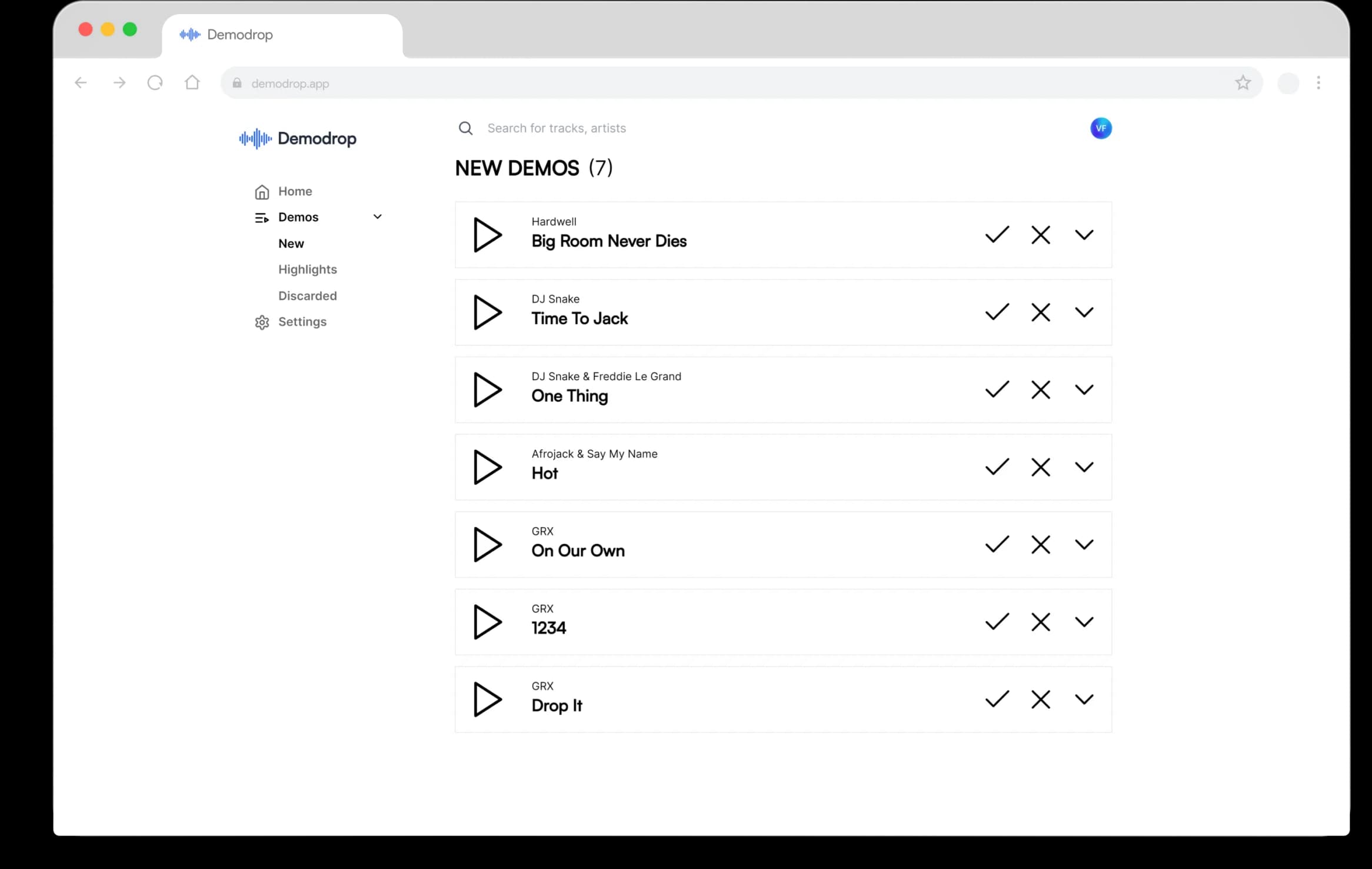
How it works
One clean demo route for every label
Artists submit MP3s through your link. Your team reviews, comments, sorts, and downloads everything from one dashboard.
For producers & DJs
- 1
Open a label's submission link
Artists submit through the specific Demodrop URL shared by the label, or through the label's connected custom domain.
- 2
Upload up to three MP3s
Add your email, artist name, and track details. Files upload straight to the label's demo inbox.
- 3
The label reviews in one place
A&R can play the track, view the original file name, download the audio, and keep private staff notes.
- 4
Promising tracks move forward
Labels can move demos from new submissions into custom selections, or discard tracks that are not a fit.
For record labels
- 1
Set up your branded page
Create an inbox slug for your label and connect a custom domain when you want a branded submission URL.
- 2
Receive organized demos
Every submission arrives with the artist email, artist name, track title, original file name, and audio file.
- 3
Review without leaving the dashboard
Use the built-in player, waveform, volume controls, spectrum visualizer, downloads, and internal staff comments.
- 4
Sort the pipeline
Create selections for your review stages, move tracks forward, filter by inbox, and keep discarded demos separate.
From first submission through internal review, everything stays in one place.
The core workflow labels actually use
Submission pages, inboxes, review stages, audio playback, internal notes, downloads, and basic stats in one music-focused workflow.
Branded submission inbox
Give artists a clean submission URL and collect every MP3 demo in one label-owned inbox.
A&R review dashboard
Play demos with waveform audio, open a spectrum visualizer, download files, and save internal staff comments.
White-label branding
Connect a custom domain and use supported label themes so your submission flow feels closer to your brand.
Multiple inboxes
Create separate inboxes for A&R, promos, remix contests, or different imprints on the Label plan.
Submission stats
Track total demos, unique artists, average demos per artist, team size, and daily submission volume.
Built for music workflows
MP3 upload limits, track prefetching, keyboard navigation, date separators, and review-stage movement are built in.
Used by labels with real demo volume


Pricing
Free for artists. Built for labels.
Artists submit through the label links they already have. Labels start free and upgrade for branding, custom domains, multiple inboxes, and team workflows.
See pricing →Frequently asked questions
For producers & DJs
Use a label's demo link
Submit MP3 demos through the public Demodrop page a label shares with you.
For record labels
Own your demo intake
Create a branded inbox URL and review every submission from one dashboard.